![Wayfinder [Minimap] logo](https://media.forgecdn.net/avatars/thumbnails/1616/732/64/64/639041352502280004.png)
Wayfinder [Minimap]
- By
A square/circle minimap with you at the center, configurable zoom, update frequency, hostile mobs, etc.
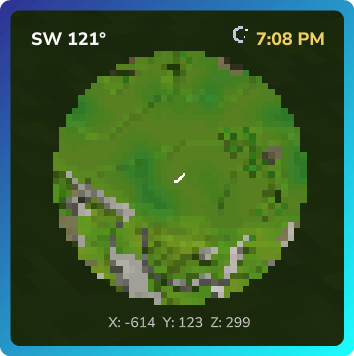
HytaleClient_f5630540-887e-4ee8-a1f4-fd2291cb9fd8.png
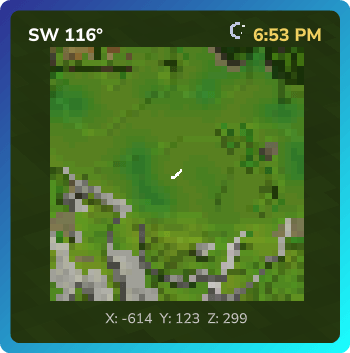
HytaleClient_eda1765b-c4a4-4299-9aae-a0b45b24df5b.png
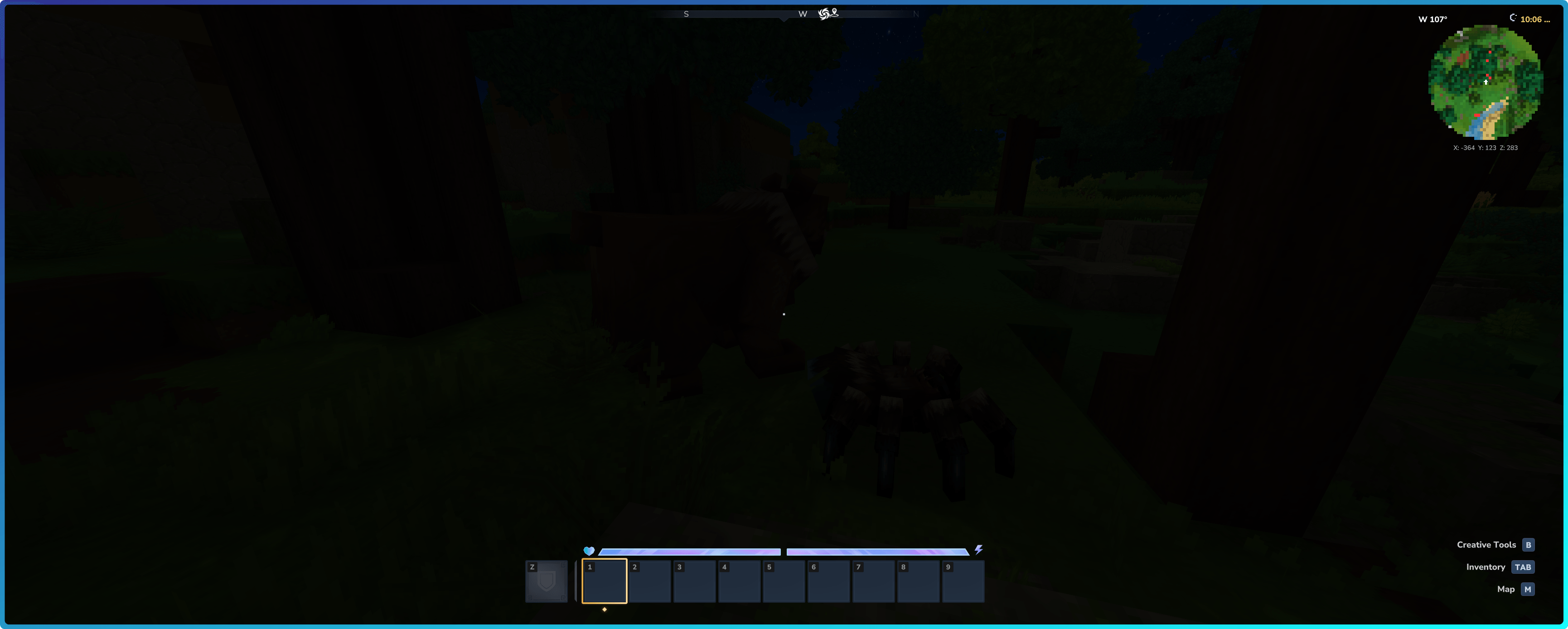
HytaleClient_045ff084-f156-46da-933a-753540086d73.png
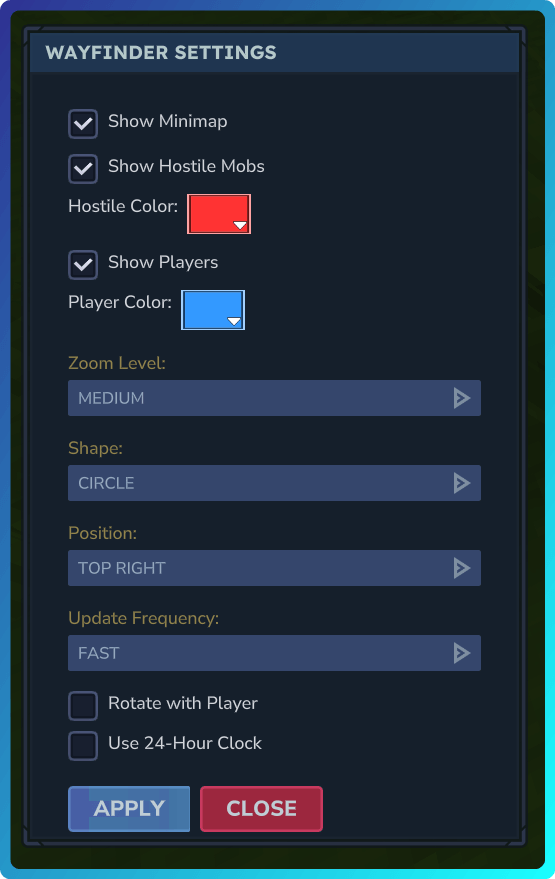
HytaleClient_e18f74bc-c9a7-4e8e-b4d1-bfdedb799a71.png
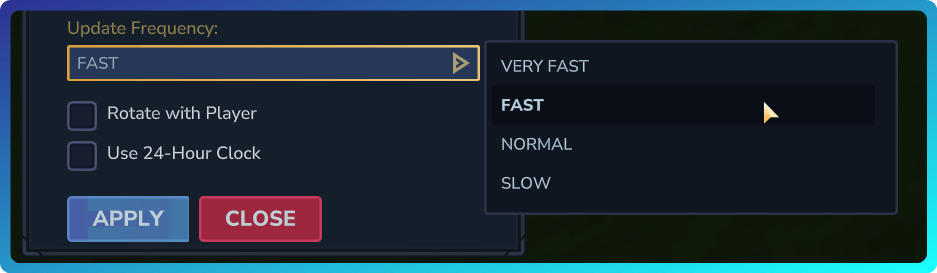
HytaleClient_3892cc76-d845-4187-a849-e7c8556d637e.png
Description
🗺️ Wayfinder
A server-side minimap plugin for Hytale that displays a real-time HUD overlay with map imagery, compass direction, and coordinates.
Its worth noting that this mod is more of a PoC / tech demo than a fully polished product. While it functions well for basic use cases, there are some limitations and rough edges to be aware of:
- The minimap is a fixed 40x40 pixel grid and does not support panning or scrolling
- Map imagery is basic and may not represent all biomes or structures accurately
- Advanced features like waypoints, markers, or custom icons are not implemented
- Performance may vary based on server hardware and player count


📋 Dependencies
| Plugin | Version | Required |
|---|---|---|
| MultipleHUD | 1.0.2+ | No (Optional) |
Note: MultipleHUD is optional. If installed, Wayfinder uses it for compatibility with other HUD plugins. If not installed, Wayfinder displays the HUD directly, but if you do have other HUD mods, they may conflict and cause crashes, display issues, blank maps, kicks from the servers etc.
⚠️ Known Incompatibilities
| Plugin | Issue | Alternative |
|---|---|---|
| EyeSpy | Causes the minimap to render blank | Blocchio |
✨ Features
- 📍 Real-time Minimap — 40x40 pixel grid displaying actual world map data
- 🧭 Compass Display — Shows cardinal direction (N, NE, E, SE, S, SW, W, NW) with degree heading
- 📐 Coordinate Display — Live X, Y, Z coordinates
- 🕐 In-Game Clock — Displays current in-game time (12-hour or 24-hour format) with sun/moon indicator
- 🔍 Configurable Zoom Levels — Multiple zoom presets (Close, Medium, Far)
- ⏱️ Configurable Update Frequency — Choose from Very Fast, Fast, Normal, or Slow update speeds
- 🔲 Shape Selection — Display the minimap as a square or circle
- 📍 Adjustable Position — Move the minimap to any corner of the screen
- 🔴 Hostile NPC Blips — See nearby hostile mobs as colored dots on the minimap
- Configurable detection mode: static NPC type list (with wildcards) or attitude-based
- Customizable blip color at server and per-player level
- Server-wide and per-player toggles
- 🔵 Player Markers — See other players as colored dots on the minimap
- Customizable blip color at server and per-player level
- Server-wide and per-player toggles
- 🔄 Map Rotation — Choose north-up (fixed) or rotate-with-player orientation
- ➡️ Directional Player Indicator — Arrow shows which way you're facing in north-up mode
- 💾 Per-Player Settings — Visibility, zoom, position, blips, clock format, and rotation preferences persist across sessions
- ⚡ Performance Optimized — Map pixels only update when player position changes
- 🚀 Performance Mode — Optional staggered updates spread pixel changes across multiple frames to reduce client stuttering
- 🎛️ In-Game Settings UI — Easy configuration through a visual interface
🎮 Commands
| Command | Alias | Description |
|---|---|---|
/wayfinder open |
/wf open |
Show the minimap |
/wayfinder close |
/wf close |
Hide the minimap |
/wayfinder toggle |
/wf toggle |
Toggle minimap visibility |
/wayfinder settings |
/wf settings |
Open the settings menu |
⚙️ Configuration
Server Configuration
Located at mods/x3Dev_Wayfinder/config.json:
{
  "ZoomLevels": {
    "Close": 1,
    "Medium": 2,
    "Far": 4
  },
  "DefaultZoom": "Medium",
  "DefaultCorner": "TopLeft",
  "DefaultShape": "Square",
  "UpdateFrequencyOptions": {
    "Very Fast": 100,
    "Fast": 250,
    "Normal": 500,
    "Slow": 1000
  },
  "DefaultUpdateFrequency": "Normal",
  "UpdateIntervalMs": 500,
  "InitialDelayMs": 500,
  "AutoShowOnJoin": true,
  "EnableHostileMobTracking": true,
  "HostileMobColor": "#ff3333",
  "HostileMobRange": 48,
  "UseHostileList": true,
  "HostileNpcTypes": ["Skeleton*", "*_Void", "Trork_*", "Goblin_*"],
  "EnablePlayerTracking": true,
  "PlayerMarkerColor": "#3399ff",
  "PlayerTrackingRange": 64
}| Option | Type | Default | Description |
|---|---|---|---|
ZoomLevels |
Map | Close: 1, Medium: 2, Far: 4 | Available zoom levels (name → blocks per pixel) |
DefaultZoom |
String | "Medium" |
Default zoom level for new players |
DefaultCorner |
String | "TopLeft" |
Default minimap position for new players. Valid values: TopLeft, TopRight, BottomLeft, BottomRight |
DefaultShape |
String | "Square" |
Default minimap shape for new players. Valid values: Square, Circle |
UpdateFrequencyOptions |
Map | Very Fast: 100, Fast: 250, Normal: 500, Slow: 1000 | Available update frequencies (name -> milliseconds) |
DefaultUpdateFrequency |
String | "Normal" |
Default update frequency for new players |
UpdateIntervalMs |
Integer | 500 |
Legacy fallback milliseconds between minimap updates |
InitialDelayMs |
Integer | 500 |
Delay before first update after showing minimap |
AutoShowOnJoin |
Boolean | true |
Automatically show minimap when players join |
EnableHostileMobTracking |
Boolean | true |
Master toggle for hostile NPC blips on the minimap |
HostileMobColor |
String | "#ff3333" |
Default hex color for hostile NPC blips |
HostileMobRange |
Integer | 48 |
Detection range in blocks for hostile NPCs (8-128) |
UseHostileList |
Boolean | true |
true = use HostileNpcTypes list, false = use NPC attitude system |
HostileNpcTypes |
Array | (see below) | NPC type patterns to mark as hostile. Supports wildcards: Skeleton* (prefix), *_Void (suffix), *Spider* (contains) |
EnablePlayerTracking |
Boolean | true |
Master toggle for player markers on the minimap |
PlayerMarkerColor |
String | "#3399ff" |
Default hex color for player markers |
PlayerTrackingRange |
Integer | 64 |
Detection range in blocks for other players (8-128) |
Player Configuration
Stored per-player at mods/x3Dev_Wayfinder/players/{uuid}.json:
{
  "PlayerUuid": "player-uuid-here",
  "Visible": true,
  "Zoom": 2,
  "Corner": "TopLeft",
  "Shape": "Square",
  "UpdateIntervalMs": 500,
  "ShowHostileMobs": true,
  "HostileMobColor": null,
  "RotateWithPlayer": false,
  "Use24HourClock": false,
  "ShowPlayers": true,
  "PlayerMarkerColor": null,
  "PerformanceMode": false
}| Option | Type | Default | Description |
|---|---|---|---|
Visible |
Boolean | true |
Whether the minimap is currently shown |
Zoom |
Integer | 2 |
Current zoom level (blocks per pixel) |
Corner |
String | "TopLeft" |
Minimap position on screen |
Shape |
String | "Square" |
Minimap shape (Square or Circle) |
UpdateIntervalMs |
Integer | 500 |
Update frequency in milliseconds (from server options) |
ShowHostileMobs |
Boolean | true |
Whether to show hostile NPC blips |
HostileMobColor |
String | null |
Custom hostile blip color override (null = use server default) |
RotateWithPlayer |
Boolean | false |
false = north always up, true = map rotates with player |
Use24HourClock |
Boolean | false |
false = 12-hour format (AM/PM), true = 24-hour format |
ShowPlayers |
Boolean | true |
Whether to show other players on the minimap |
PlayerMarkerColor |
String | null |
Custom player marker color override (null = use server default) |
PerformanceMode |
Boolean | false |
Enables staggered pixel updates to reduce client stuttering |
⚠️ Performance Considerations
Important: Wayfinder is a server-side mod. All minimap rendering and updates are processed by the server and sent to clients as UI packets.
Recommendations for High-Population Servers
If you plan to run Wayfinder on servers with many concurrent players, consider the following adjustments:
| Players | Recommended UpdateIntervalMs |
|---|---|
| 1-3 | 100 |
| 4-5 | 200-300 |
| 6-10 | 500 |
| 11+ | 1000 |
Note: I haven't tested the above values, it all comes down to your server hardware. Adjust based on actual performance and player experience.
Additional tips:
- 🔄 The minimap only sends pixel updates when a player's position changes, reducing unnecessary traffic
- 📊 Monitor server performance and adjust
UpdateIntervalMsaccordingly - 🚫 Consider setting
AutoShowOnJointofalseand letting players opt-in on very large servers - 🔍 Higher zoom levels (more blocks per pixel) may reduce update frequency as players traverse the world faster relative to the map
Performance Mode
If players experience client stuttering when the minimap updates, they can enable Performance Mode in the settings menu. This spreads pixel updates across multiple frames:
| Mode | Behavior | Best For |
|---|---|---|
| Off (default) | All 1,600 pixels update at once | Maximum visual responsiveness |
| On | Updates split into 2 horizontal bands | Reducing client-side stuttering |
When Performance Mode is enabled:
- The 40x40 grid is divided into top and bottom halves
- Each half updates on alternating ticks
- A full map refresh takes 2 update cycles instead of 1
- The update cycle always completes fully, even if the player stops moving (prevents half-map desync)
📦 Installation
- Download Wayfinder and place into your server's
modsfolder - (Optional) Download MultipleHUD for compatibility with other HUD plugins
- Start the server — default configuration will be created automatically
- Adjust
config.jsonas needed for your server's requirements
The Wayfinder [Minimap] Team