FTB Filter System
- By
FTB Filter System (aka FFS) is a powerful item filtering mod with friendly GUI editing

FTB Filter System
Overview
FTB Filter System (aka FFS) is a powerful item filtering mod with friendly GUI editing. It doesn't do much on its own, but is intended to be used by other mods which need to filter items; FTB Quests in particular, but it offers an API which any mod can use.
Using FFS
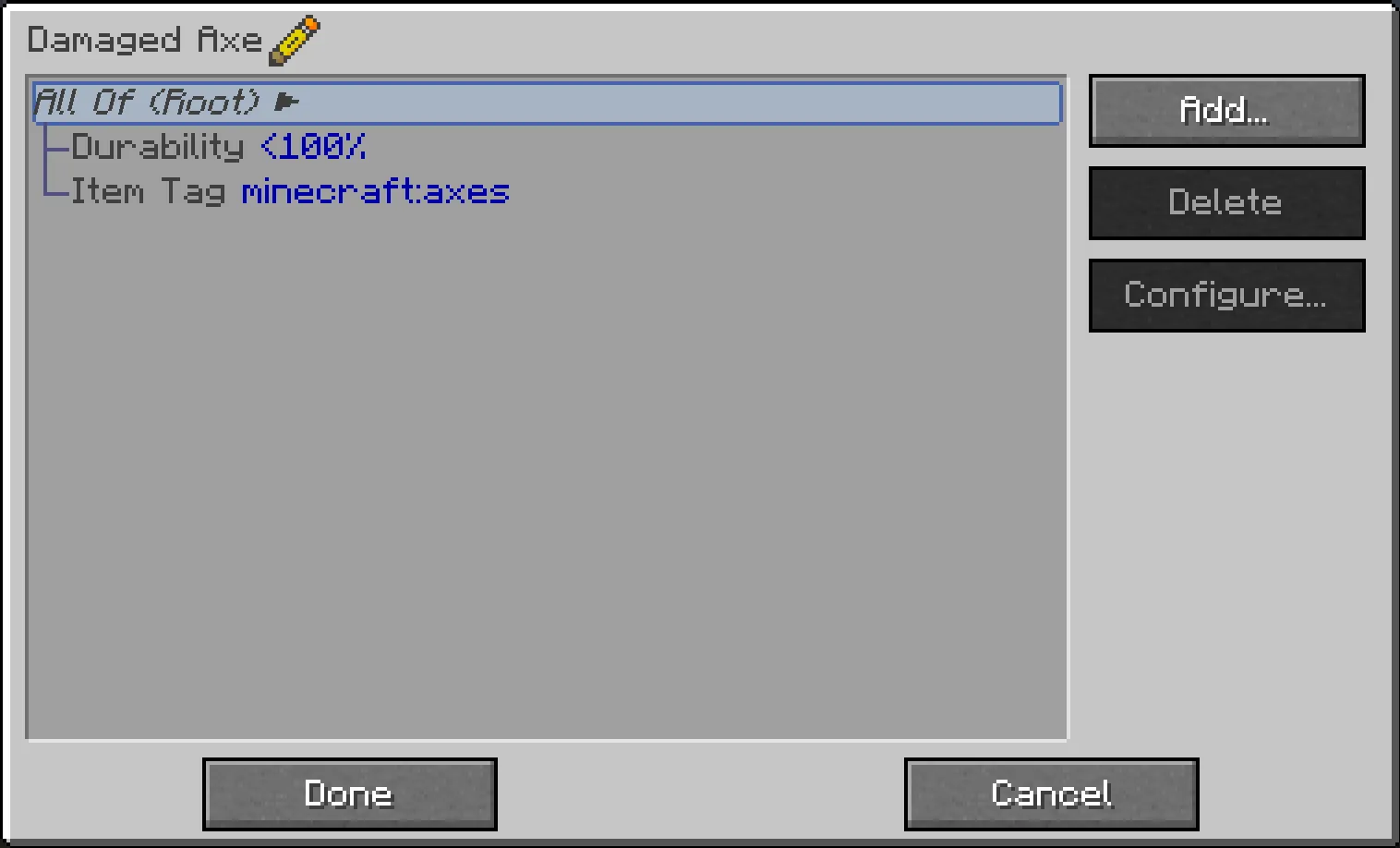
FFS adds a single item, the Smart Filter. All configuration is done via this item, by simply right-clicking it. This opens a GUI, with a list which initially contains just a "Root" element, and "Add" / "Delete" / "Configure" buttons on the right:
- Click "Add…" to pop up a list of available subfilters which you can add.
- On the left side of the list are compound filters, to which more filters can be added as children, forming a filter hierarchy.
- On the right side (in possibly multiple columns) are basic filters, which do actual matching against items.
- All the filter buttons have a tooltip with a brief explanation of what they do (should be obvious in general)
- Click "Delete" to delete the currently-selected filter.
- Deleting a compound filter also deletes all its children
- Click "Configure…" to pop up another screen allowing the currently-selected filter to be configured
- Not all filters can be configured; compound filters don't have any configuration, and some basic filters don't either
- You can also double-click any filter in the list to open its configuration screen
At the bottom are "Done" and "Cancel" buttons:
- Click "Done" to save any changes you've made to the filter
- Click "Cancel" (or press Escape) to discard any changes (you will be prompted to confirm discarding unsaved changes)
Other tips and tricks:
- Some filters allow dragging of items from JEI to configure them: the Item Filter, the NBT and Fuzzy NBT filters, and the Mod filter
- Filters can be dragged in the list to move them around in the filter hierarchy, subject to the following rules:
- The Root filter can never be moved
- Filters can only be dragged onto compound filters
- Compound filters can only be dragged onto filters at the same level or higher up in the hierarchy (dragging a filter into its own child isn't a very sane thing to do…)
- You can quickly test if a filter matches what it's supposed to:
- Hold the configured filter in your main hand, and the item to be tested in your offhand
- Then sneak-right-click the filter and you'll get a chat response indicating a match success or failure
Support
- For Modpack issues, please go here: https://go.ftb.team/support-modpack
- For Mod issues, please go here: https://go.ftb.team/support-mod-issues
- Just got a question? Check out our Discord: https://go.ftb.team/discord
Keep up to date


The FTB Filter System Team


Owner