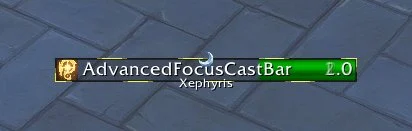
Important Cast Glow
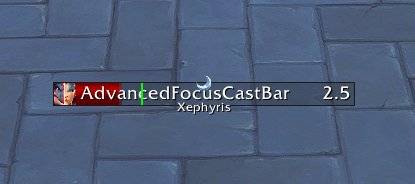
Interrupt Ready indication via tick
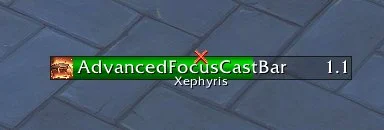
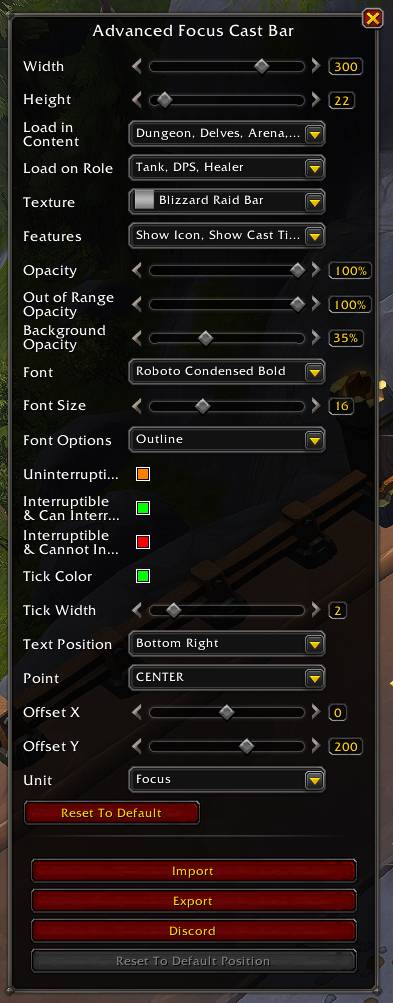
Edit Mode Options
Description
Advanced Focus Cast Bar

Features
- deep Edit Mode integration thanks to LibEditMode
- configurable color options for:
- uninterruptible cast
- interruptible cast and your interrupt is ready
- interruptible cast and your interrupt is not ready (or you don't have an interrupt)
- interrupt ready tick
- (don't) show border, cast time, spell icon, raid marker, target of cast, interrupt source
- font and font size selection, powered by LibSharedMedia and more
- texture selection, powered by LibSharedMedia
- important spell highlighting, powered by LibCustomGlow
- focus tts reminder when your focus disappears mid combat as a reminder to pick a new one
- out of range opacity
- load conditions: don't load on certain content types or roles
- import/export
- option to ignore friendlies / unattackable units
- optionally use as target cast bar instead
- not vibecoded, won't crash out, won't steal code
Demo Mode
This allows you seeing the cast bar as it shows in Edit Mode, but without the Edit Mode overlay. You cannot interact with it further here, it's really just previewing how it would look like in action.
/run AdvancedFocusCastBarParent:ToggleDemo()Run the command again to hide it (or enter Edit Mode).
Alternatively, you can disable Ignore Friendlies in the Features dropdown, focus yourself and cast spells outside of the Edit Mode.
Known Limitations/Issues
- with 12.0, Blizzard removed the option to define which channel to play Text-to-Speech on so the focus reminder functionality can only use whatever they decided to use
- no support for empower stages. unless its heavily requested, no plans to support them
- it is not possible to add a sound for when your interrupt is ready
Honorary Mentions
- plusmouse for discovering the Midnight approach of interrupt ticks
- Nnoggie for testing & feedback
Legal
See License
Advanced Focus Cast Bar Team

Owner