LogSink: Table
- By
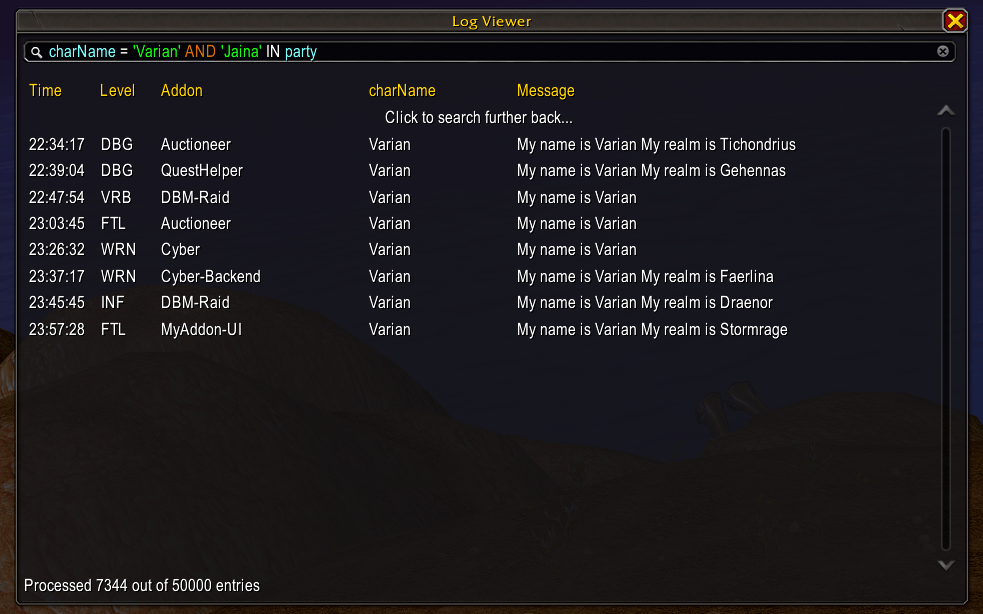
A custom sink for LibLog-1.0, adds a table view that allows you to see and filter live logs
comparisons.png
timeframes.png
inspector.png
filters.png
Description
LogSink: Table
A sink for LibLog-1.0 that adds a table view that allows you to see and filter on live logs.
Query engine
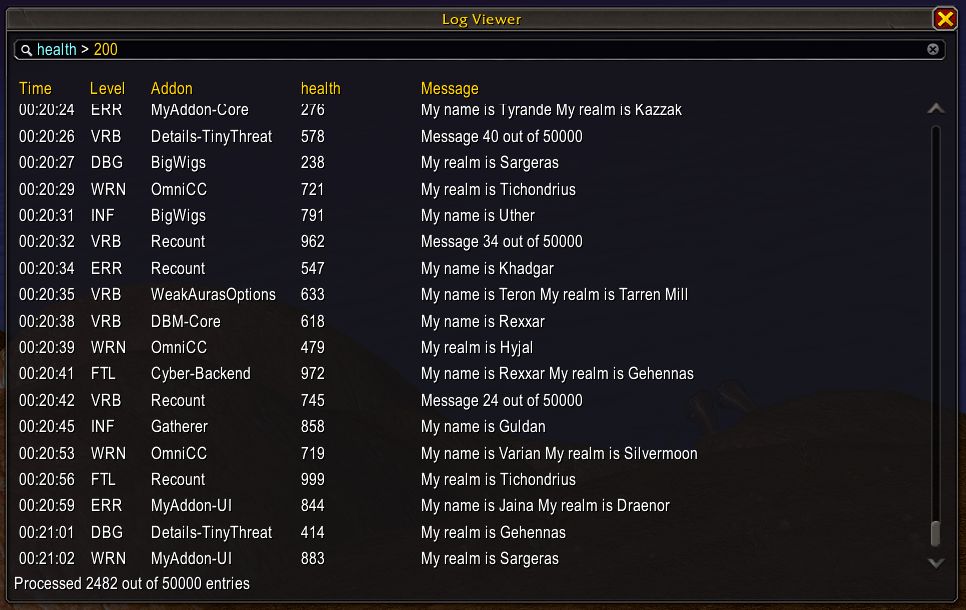
With the query engine you can filter logs based on any property. You can compare against a literal (string, number), or the value of another property.
Compare using =, ~=, <, <=, >, >=
Standard Lua comparision operators are all supported.
charName = 'Arthas`
charName ~= "Arthas"
health < 30
health <= 300
mana > 50
mana >= 500
health ~= mana
Create intersections using AND
You can use AND to create an intersection of two conditions.
charName = 'Arthas' AND health < 30Create unions using OR
You can use OR to create a union of two conditions.
charName = 'Arthas' OR health < 30Compare against tables using IN and NOT IN
To compare a property against a table, value, you can use [NOT] IN.
charName IN { 'Arthas', 'Khadgar', 'Thrall' }
-- the character name matches one of the table values
charName NOT IN { 'Arthas', 'Khadgar', 'Thrall' }
-- the character name does not match any of the table valuescharNam IN party
-- assuming party is a table propertyCompare strings using LIKE and NOT LIKE
You can compare for partial string matches using [NOT] LIKE. These are standard Lua patterns.
charName LIKE '.*thas'
charName NOT LIKE 'Khad.*'
Filter by timespans using SINCE and UNTIL
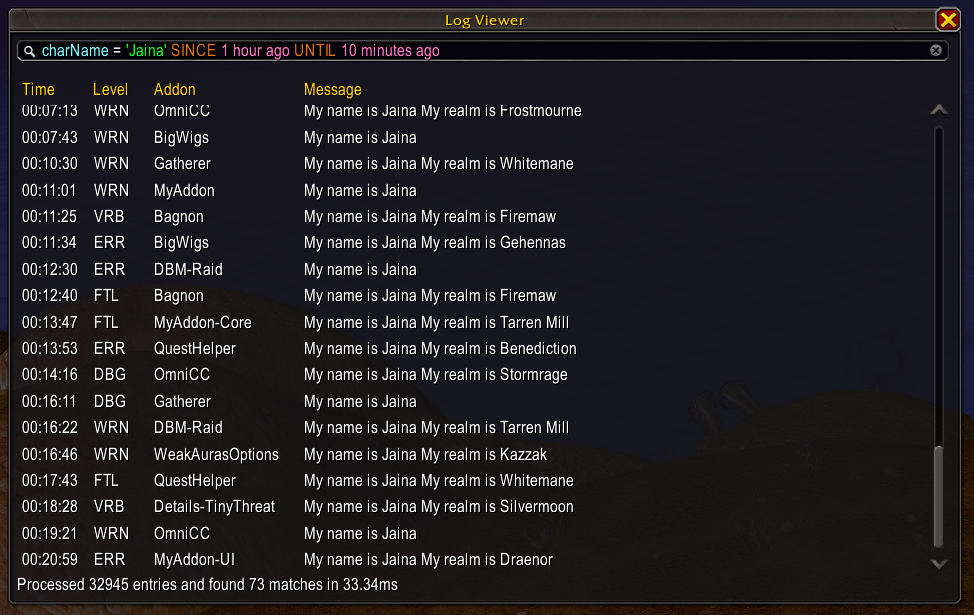
Using SINCE and UNTIL you can limit results to logs that fall within the given timeframe:
SINCE 1 hour ago
SINCE 10 minutes ago
SINCE 1 minute ago
SINCE 30 seconds ago
SINCE 13:00
UNTIL 1 minute ago
UNTIL 13:00
They can also be combined:
SINCE 1 hour ago UNTIL 10 minutes agoOf course, these can be combined with any other query:
charName = 'Arthas' SINCE 1 hour agoNote that specifying absolute time is always in 24h format, SINCE 12pm is not currently supported.
Table View
The table view allows you to view the (filtered) log stream in real-time.
You can add, remove, or adjust columns based on any available property within the logs, allowing you to quickly extract useful information.
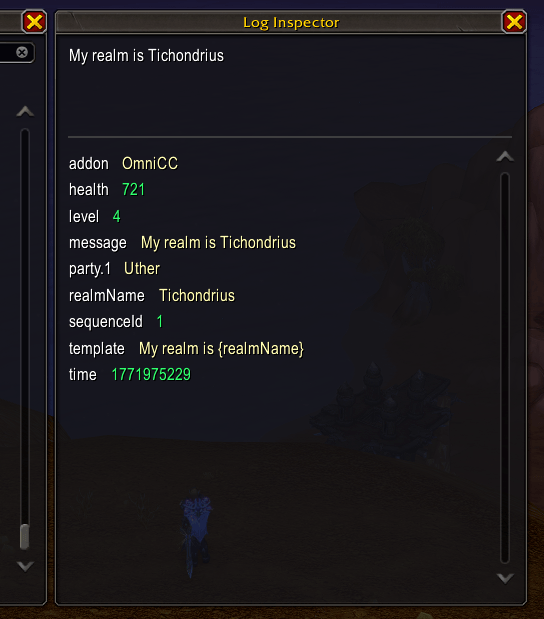
Clicking on a log row opens a table inspect window containing all data for that log entry.
LogSink: Table Team

Owner